
ADVERTISEMENT
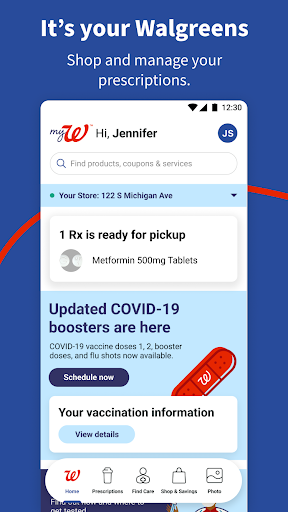
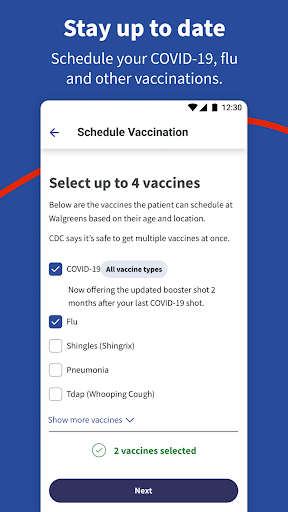
The Walgreens app, available for download on both Android and iOS, serves as your one-stop mobile tool to shop and manage your prescriptions with ease. Here are five key features:
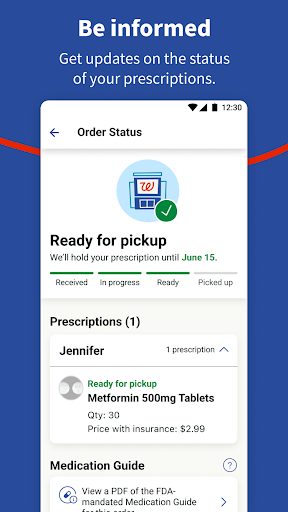
1. Streamlined Prescription Management: Effortlessly refill and track prescription status with a barcode scan.
2. Day-to-Day Medication Reminders: Set up Pill Reminders to ensure you never miss a dose.
3. 24/7 Health Advice: Chat live with pharmacy experts for free advice on prescriptions and general health queries.
4. Walgreens Find Care®: Connect with healthcare providers through your smartphone or at Walgreens stores for medical consultations.
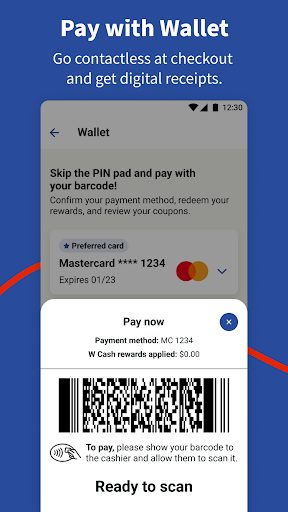
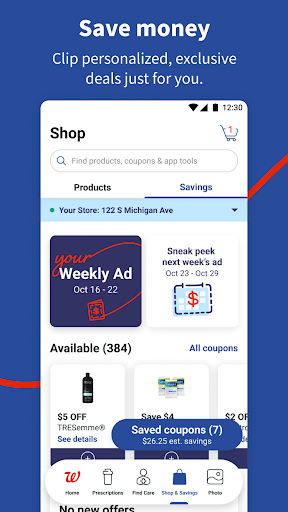
5. Shopping and Deals: Save on essentials with in-app coupons, earn Walgreens Cash rewards, and enjoy the convenience of quick pickup orders.
1. Convenience: The free Walgreens app is a convenience powerhouse, allowing users to manage prescriptions, shop, and consult with pharmacists directly from their device.
2. Savings: Enjoy personalized deals and rewards as a myWalgreens member, and instantly clip digital coupons through the app to use at checkout.
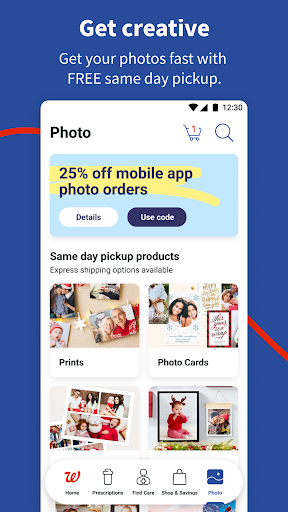
3. Custom Photo Services: Create and order custom photo products with easy in-app features, and take advantage of the free same-day pickup.
1. Device Permissions: Using the full range of app features requires providing permissions which might concern privacy-conscious users.
2. Account Required: To achieve maximum benefits, including rewards and savings, you'll need to sign up for a myWalgreens account.
3. Interface Overload: With so many features, some users may find the interface cluttered, potentially impacting user experience.
1. Permissions Management: After the Walgreens download and installation, manage app permissions in your device settings to safeguard your personal information.
2. Login Convenience: If you frequently manage prescriptions, login to Walgreens and stay logged in for quick access to your healthcare needs.
3. Sync with Health Apps: Integrate the Walgreens app with Apple Health to help meet your health goals and track progress automatically.
4. In-Store Use: Use the app's in-store features, like the barcode scanner for coupon clipping and product lookup, to enhance your savings and shopping experience.
Q: How can I install Walgreens on my phone?
A: You can install Walgreens by searching for the Walgreens apk on your respective app store (Google Play or App Store) and selecting the 'Install' option.
Q: Is the Walgreens app free?
A: Yes, the Walgreens app is free to download. It’s your virtual gateway to managing healthcare and shopping needs, but keep in mind standard wireless provider rates and potential fees in your Walgreens account agreement(s).
Q: Can I manage the prescriptions for my family using the app?
A: Absolutely, the Walgreens app comes with convenient features allowing you to track and refill prescriptions for your entire family.
Q: Do I need to keep the app open during a live consultation?
A: Yes, to prevent interruptions, it's advisable to adjust your phone settings to prevent the screen from dimming during live consultations.
ADVERTISEMENT




Welcome to Pixelvoy - your go-to destination for downloading the latest and most popular Android apps. Our mission is to provide a safe, reliable, and user-friendly platform for Android users to discover and download the best apps.
At Pixelvoy, our top priority is to deliver top-notch content that is relevant to our users. Our team of experts carefully selects and reviews each app before it is available for download on our platform. We also regularly update our app library to ensure our users can access the latest versions of their favorite apps.
At Pixelvoy, we provide a wide range of high-quality apps that cater to all your needs. Our platform is continuously updated with the latest and hot apps, ensuring users can access the most up-to-date apps.
We prioritize providing a seamless and hassle-free app download experience. Our website is easy to navigate, and our download process is quick and secure.
Thank you for choosing Pixelvoy as your trusted source for Android apps. We hope you enjoy using our platform and welcome your feedback and suggestions.


