
ADVERTISEMENT
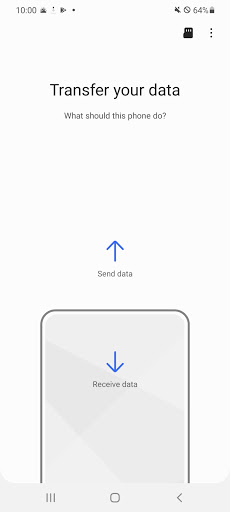
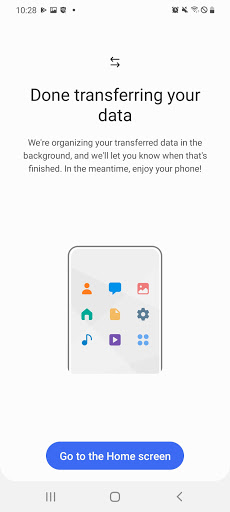
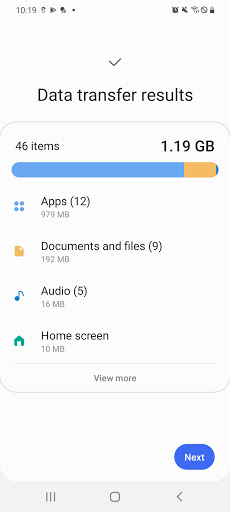
The Samsung Smart Switch Mobile app is designed to streamline the process of transferring your precious data from one device to another. It offers several key features including:
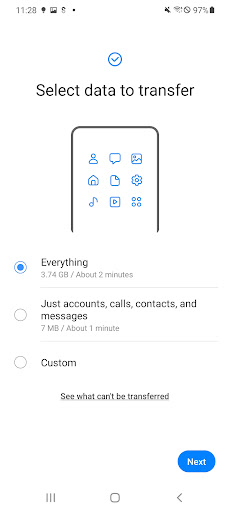
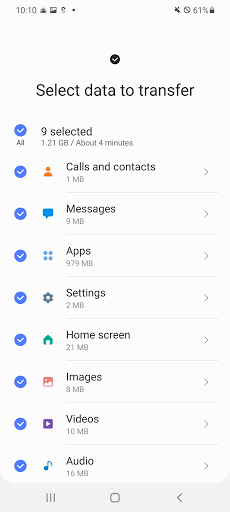
1. **Data Transfer**: Effortlessly move your contacts, photos, messages, music, and more to your new Galaxy device.
2. **App Recommendation**: Smart Switch suggests similar apps on Google Play™, making it easier to find your favorites or alternatives.
3. **Cross-Platform Compatibility**: Whether you’re coming from Android™ or iOS™, Smart Switch has you covered with various transfer options.
4. **Comprehensive Transferable Content**: From call logs to app data, transfer a wide array of content types with ease.
5. **Device Support**: A broad range of Galaxy devices are supported, ensuring your new Galaxy feels like home.
Downloading and installing the free Samsung Smart Switch Mobile app is simple. For users unable to access it via Google Play Store, follow the instructions provided to clear the cache and try again.
1. **Ease of Use**: With intuitive interfaces and straightforward instructions, the Samsung Smart Switch Mobile app makes the transition to a new device hassle-free.
2. **Versatility**: It supports a wide variety of data types and caters to both wireless and wired transfers, accommodating various user preferences.
3. **Broad Device Support**: Many devices are compatible, including Samsung's extensive line-up from the Galaxy S2 to the latest models, as well as other Android and iOS devices.
1. **Device Compatibility**: Some users may face compatibility issues, particularly with older or non-Samsung devices.
2. **Internal Memory Requirement**: Both the sending and receiving devices must have at least 500 MB of free internal memory.
3. **Transfer Limitations**: Certain content such as DRM-protected media and non-Galaxy app data may not be transferable.
To ensure a smooth transfer when using the Samsung Smart Switch Mobile download, consider the following tips:
1. **Update Your Devices**: Ensure your devices are up to date with the latest firmware to minimize compatibility issues.
2. **Backup Your Data**: Before initiating the transfer, it's wise to back up your data to prevent any loss during the process.
3. **Charge Your Devices**: To avoid interruptions, make sure both your sending and receiving devices are well charged.
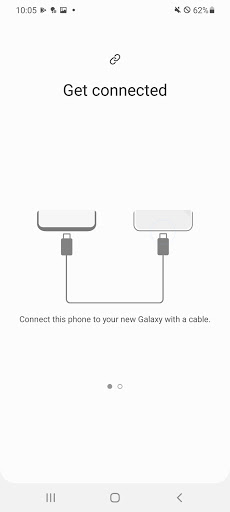
4. **Enable the Correct Settings**: For wired transfers, ensure the 'Transferring media files (MTP)' USB option is enabled on your device.
- **How do I install Samsung Smart Switch Mobile?**: You can download the Samsung Smart Switch Mobile apk from the Google Play Store or follow the instructions for manual installation.
- **Is the Samsung Smart Switch Mobile app free?**: Yes, it is completely free to use.
- **How do I login to Samsung Smart Switch Mobile?**: There's no need to log in; simply open the app on both devices and follow the prompts to connect.
- **Can I transfer my app data?**: App data can be transferred between Galaxy devices and may require an upgrade to M OS (Galaxy S6 or higher).
- **What if I encounter issues during the transfer?**: Try clearing the Google Play Store cache, reboot your phone, or update your firmware. If issues persist, consult Samsung support.
ADVERTISEMENT



Welcome to Pixelvoy - your go-to destination for downloading the latest and most popular Android apps. Our mission is to provide a safe, reliable, and user-friendly platform for Android users to discover and download the best apps.
At Pixelvoy, our top priority is to deliver top-notch content that is relevant to our users. Our team of experts carefully selects and reviews each app before it is available for download on our platform. We also regularly update our app library to ensure our users can access the latest versions of their favorite apps.
At Pixelvoy, we provide a wide range of high-quality apps that cater to all your needs. Our platform is continuously updated with the latest and hot apps, ensuring users can access the most up-to-date apps.
We prioritize providing a seamless and hassle-free app download experience. Our website is easy to navigate, and our download process is quick and secure.
Thank you for choosing Pixelvoy as your trusted source for Android apps. We hope you enjoy using our platform and welcome your feedback and suggestions.


