
ADVERTISEMENT
Experience seamless integration between your smartphone and PC with the Link to Windows app. Designed for those who want to maximize productivity and convenience, the free Link to Windows app brings the power of your Android device directly to your computer. Begin by installing the Link to Windows apk on your Android phone and simply connect with the Phone Link on your Windows PC. Get ready to revolutionize the way you work and play.
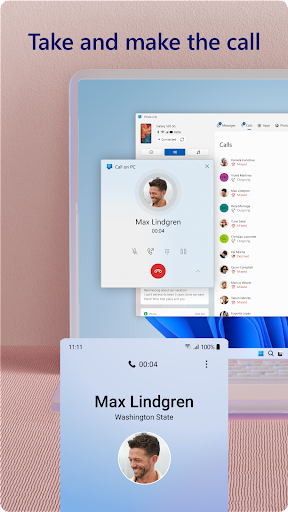
1. Unified Communication: Make and receive calls from your PC using a Windows 10 computer with Bluetooth capability.
2. Notification Management: Effortlessly view and manage your Android phone's notifications on your PC, ensuring you never miss important updates.
3. Mobile Apps on PC: Access and use your favorite mobile apps from your PC's larger screen for enhanced interaction.
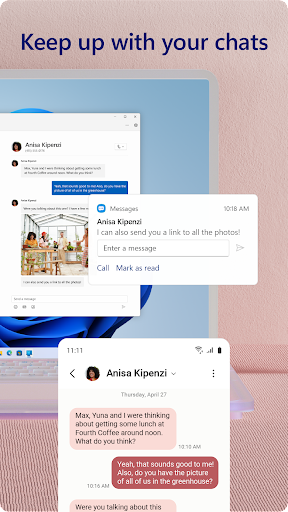
4. Text Messaging: Read and reply to your text messages conveniently using your PC's keyboard.
5. File Sharing and Editing: Transfer, copy, paste, edit, and manage photos and files with ease between your devices without the need to email yourself.
1. No Additional Downloads: Link to Windows comes integrated with compatible devices, saving you time on extra installations from the Play Store.
2. Drag and Drop Simplicity: Transferring files and images between your devices is as simple as a drag and drop, minimizing hassle.
3. Accessibility Service: Great for those using screen reading tools on PC, allowing full control of phone apps from your computer with audio feedback.
1. Limited Compatibility: Certain features like dragging and dropping files, accessing phone screen, and multiple apps, are available exclusively with compatible Microsoft Duo, Samsung, or HONOR devices.
2. Hardware Requirements: For a complete experience, a compatible device with Android 11.0 and a Windows 10 PC with at least 8GB of RAM and Bluetooth are necessary.
3. Update Dependencies: To utilize the complete suite of features, your PC must be running the May 2020 update or later.
1. Maintain Updated Software: Ensure both your Android and Windows systems are up-to-date for optimal performance and compatibility.
2. Explore Quick Access: Locate Link to Windows in the Quick Access tray for swift connection and usage.
3. Feedback for Improvement: Regularly provide feedback through the "Send feedback" option in the Phone Link settings to see new features tailored to user needs.
4. Navigate Easily: Utilize Android keyboard navigation to make the most of the accessibility service and enhance your PC-phone interaction.
- Which devices are compatible with Link to Windows?
- How do I download and install Link to Windows?
- Are there any costs associated with using the Link to Windows app?
- How do I login to Link to Windows on my PC?
- What can I do if I face issues during installation?
Enhance your digital experience by allowing your phone and PC to work as one through the intuitive use of Link to Windows. Download and install Link to Windows today, and unify your tech environment with ease.
ADVERTISEMENT




Welcome to Pixelvoy - your go-to destination for downloading the latest and most popular Android apps. Our mission is to provide a safe, reliable, and user-friendly platform for Android users to discover and download the best apps.
At Pixelvoy, our top priority is to deliver top-notch content that is relevant to our users. Our team of experts carefully selects and reviews each app before it is available for download on our platform. We also regularly update our app library to ensure our users can access the latest versions of their favorite apps.
At Pixelvoy, we provide a wide range of high-quality apps that cater to all your needs. Our platform is continuously updated with the latest and hot apps, ensuring users can access the most up-to-date apps.
We prioritize providing a seamless and hassle-free app download experience. Our website is easy to navigate, and our download process is quick and secure.
Thank you for choosing Pixelvoy as your trusted source for Android apps. We hope you enjoy using our platform and welcome your feedback and suggestions.


